For Android developers · Google Play closed testing

Get 12 testers. Clear the 14-day closed test.

12Testers matches your app with real Android testers who opt in to your closed test and open it every day, so your new developer account can apply for production access on schedule.

12
testers opted in to your closed test
14 days
of continuous testing before you apply
Nov 2023+
personal accounts created after 13 Nov 2023

Product video · 0:36

From closed-test link to production access

Watch how a developer adds an app, gets matched with 12 testers, and tracks all 14 days in one place.

Google Play · closed testing rule
12testers opted in
×
14days in a row

New personal developer accounts must clear this before Google Play allows a production release.

Add your app

Request 12 testers
Step 1 · Developer

Paste your closed-test link

Set up the closed track in Play Console, then add the opt-in link and a short testing note.

HL
Step 2 · Matching
0/12

Testers opt in with their Google accounts

Step 3 · Daily check-ins
Day 1 of 14

Every tester opens your app, every day

Daily reminder sent12 testers · Habit Loop
12/12 opened todayStreak intact · Day 9

Ready for production

14/14 days12/12 testers
Get it onGoogle Play
0:04 / 0:36

Silent motion demo. Tap the chapters to jump to any step.

Scroll to run the test

Every day of your 14-day window, tracked

Day 1of 14
0/12 checked in today

One missed day can break a streak. 12Testers reminds testers who haven’t opened your app yet, so the opt-in count stays at 12 for the full window.

Habit Loop · closed test12 testers × 14 days
Opened the appReminder sentUpcoming day

How it works · two sign-ins, one goal

How 12Testers gets you through Google Play closed testing

Developers bring the closed-test link. Testers bring 14 days of daily opens. The app keeps both sides on track.

For developers

Developer login
  1. Create a closed test in Play Console

    Upload your build to the closed testing track and copy the opt-in link.

  2. Add your app to 12Testers

    Paste the link and write a short note on what testers should try.

  3. Get 12 testers who show up daily

    Testers opt in with their Google accounts. Your dashboard shows who has opened the app today and who is due.

  4. Apply for production access

    After 14 days with 12 opted-in testers, apply from Play Console with a full testing record behind you.
For testers

Tester login
  1. Sign in as a tester

    Pick the Tester role when you sign in.

  2. Open today’s task list

    Each card shows an app to open and what the developer wants you to try.

  3. Test, tick it off, repeat tomorrow

    A daily notification reminds you of anything still due.

Screenshots · from the Play listing

See the app

The developer dashboard, the tester’s daily task, and everything in between.

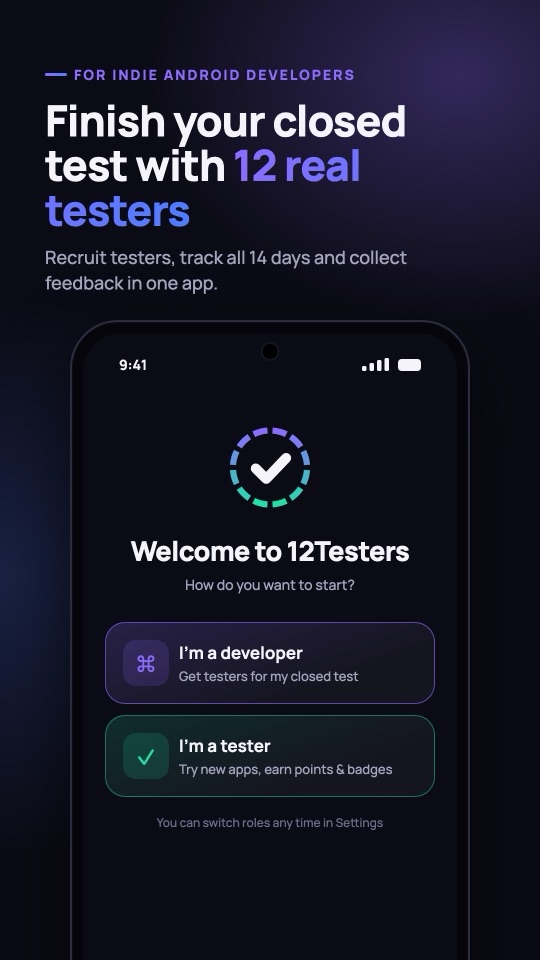
Welcome screen: pick Developer or Tester. Finish your closed test with 12 real testers.
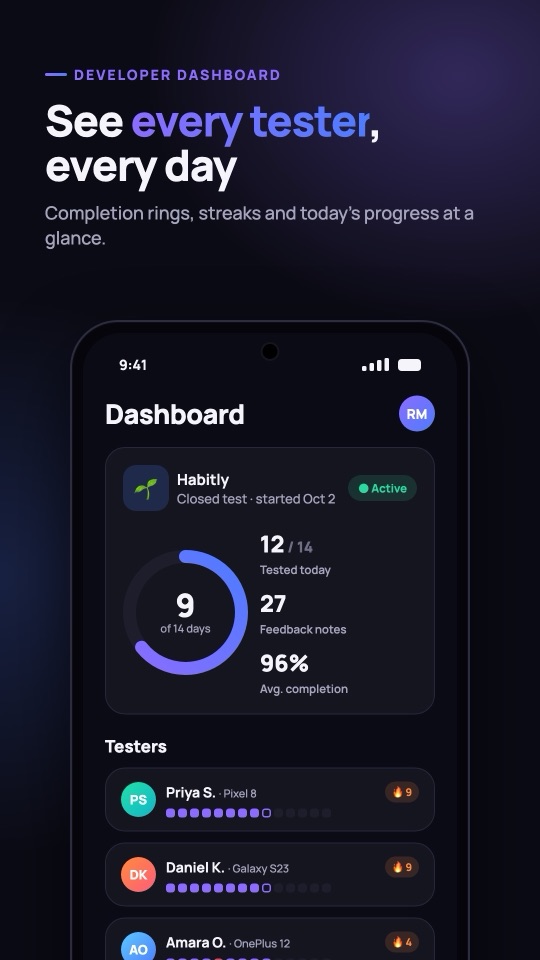
Developer dashboard with completion ring and tester streaks. See every tester, every day.
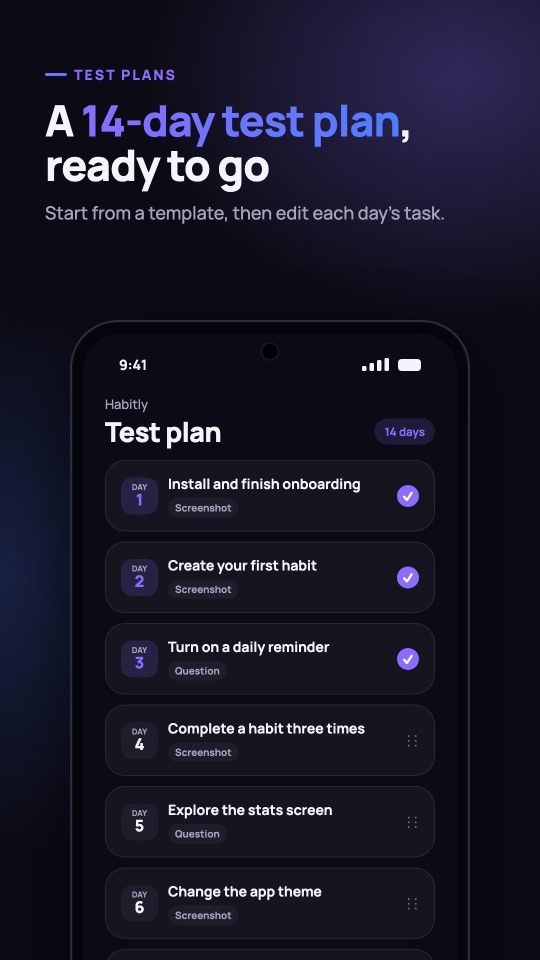
14-day test plan with a task for each day. A 14-day test plan, ready to go.
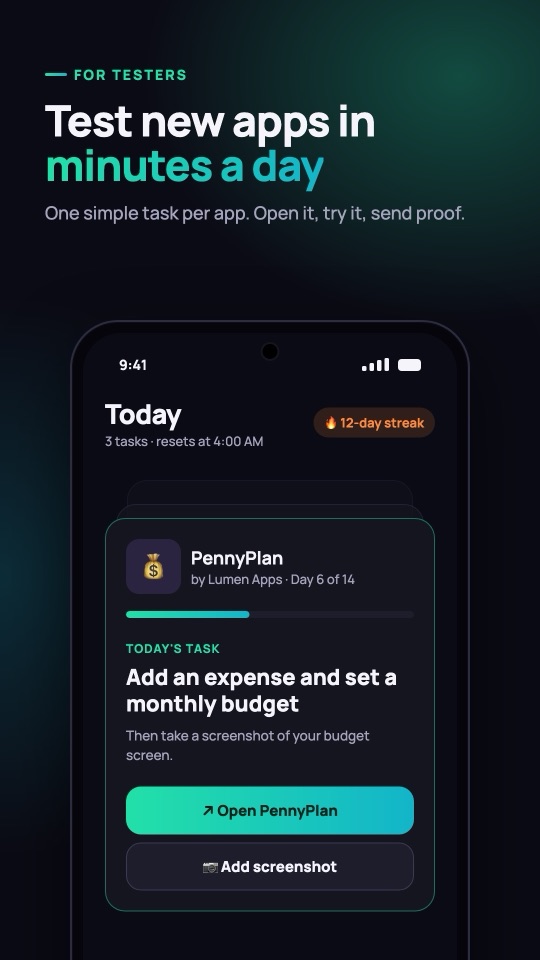
Tester's Today screen with the day's task card. Test new apps in minutes a day.
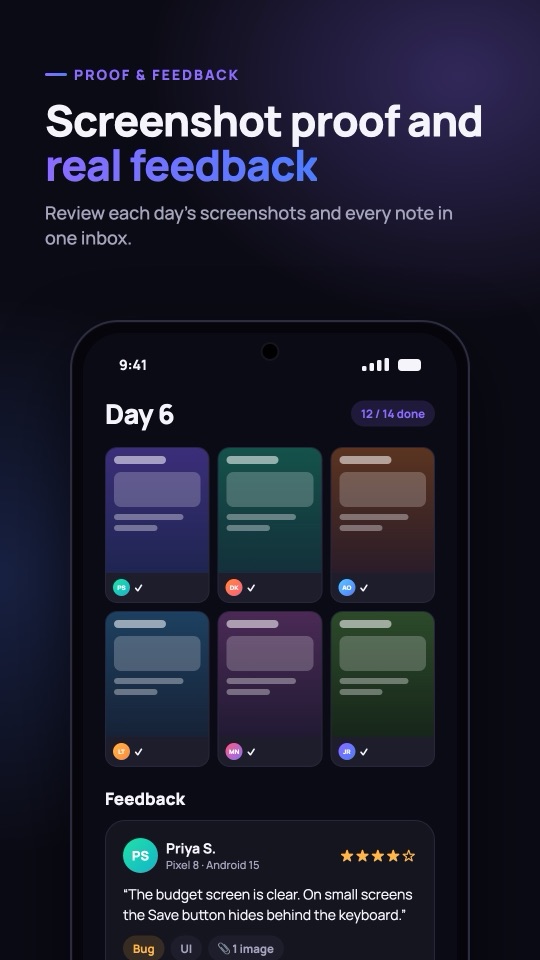
Day 6 screenshot proof grid and tester feedback. Screenshot proof and real feedback.
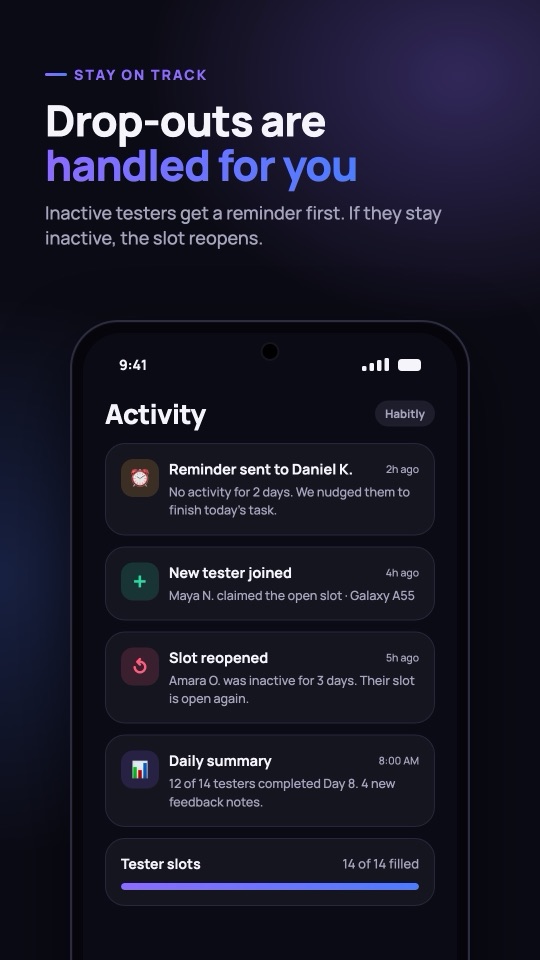
Activity feed: reminders, new testers, reopened slots. Drop-outs are handled for you.
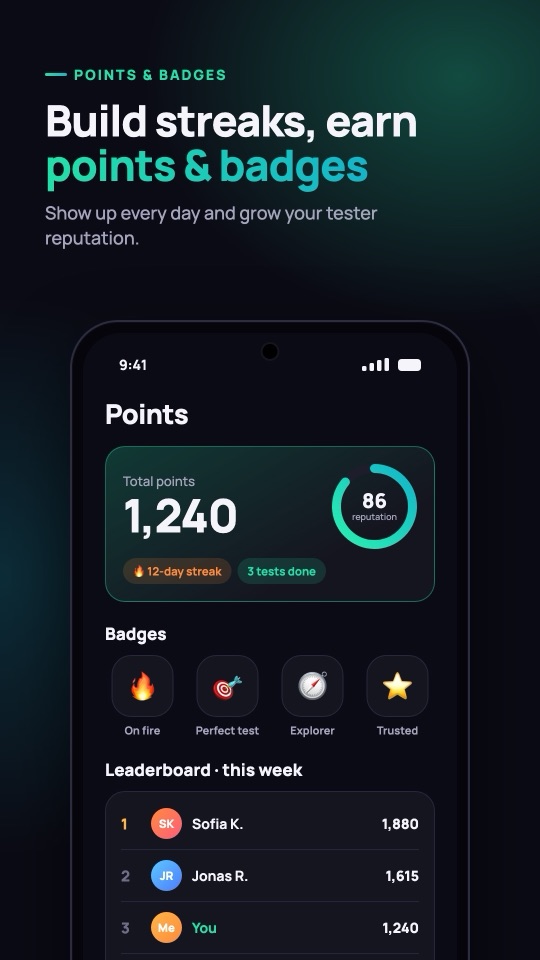
Tester points, badges and weekly leaderboard. Build streaks, earn points & badges.

Inside the app

Built around the 14-day streak

Daily reminders

Nobody forgets day 9

Push notifications go out each day to testers who still have apps to open, so your closed test keeps all 12 testers active until day 14.

Opt-in tracker

See 12/12 at a glance

Your dashboard counts opted-in testers and today’s check-ins, per app.

Day counter

Know exactly where you are

Day 1 to day 14, with the days that remain until you can apply.

Two roles

Developer and Tester logins

Developers manage apps and progress. Testers get a clean daily task list. Each side sees only what it needs.

Task cards

Clear instructions per app

Your testing note appears on every tester’s card, so they know which screens and flows to try.

FAQ · closed testing

Google Play closed testing, answered

Straight answers about the 12-tester rule and how 12Testers fits in.

What is 12Testers?

12Testers is an Android app that connects developers who need closed testers on Google Play with people who test apps daily. Developers add their closed-test opt-in link; testers opt in and open the app every day across the 14-day window.

How many testers does Google Play require for closed testing?

At least 12 testers must be opted in to your closed test. Google lowered the number from 20 to 12 in December 2024.

How long does the closed test have to run?

14 consecutive days with at least 12 opted-in testers. Only then can you apply for production access in Play Console.

Which developer accounts need to run a closed test?

Personal developer accounts created after 13 November 2023. Organization accounts are not subject to this requirement.

How do testers join my closed test?

They open your opt-in link, accept the invitation with their Google account, and install your app from Google Play. 12Testers shows them the link and reminds them to open the app each day.

Does 12Testers guarantee production access?

No. Google reviews every application. 12Testers helps you meet the tester count and keep testers active; your app still has to meet Google Play policies, and you answer Google’s questions about your test when you apply.

Where can I download 12Testers?

Your 14 days can start today.

Download 12Testers, add your closed-test link, and get 12 testers who open your app every day.

Get it onGoogle Play